
Want to get your blog indexed faster so it starts pulling in readers within hours instead of weeks? You are in the right place.
Publishing a great post feels amazing, right up until you search for it on Google and find nothing.
That silence usually means Google has not stored your page yet, and a page that is not in the index earns zero traffic, zero leads, and zero sales.
The good news is that speeding up indexing is a skill any beginner can pick up in an afternoon. No coding, no pricey tools, and no agency retainer.
This guide walks you through Google Search Console for beginners, sitemap submission, and a handful of tricks that help you index blog posts fast.
Uncover My Top Recommendation for Making $100-$300 Daily – Check Out This FREE Video to Begin >>>
What Does It Mean to Get a Blog Indexed Faster?
Indexing is the step where Google saves your page in its giant library of web content.
Before a page can rank or show up in search results, Google has to crawl it, understand it, and file it away in that index.
Getting a blog indexed faster means shrinking the gap between hitting publish and landing in that library.
For a brand-new site, that gap can stretch from a few days to several weeks. For a trusted site that posts often, fresh pages can show up within hours.
Here is the plain-English version:
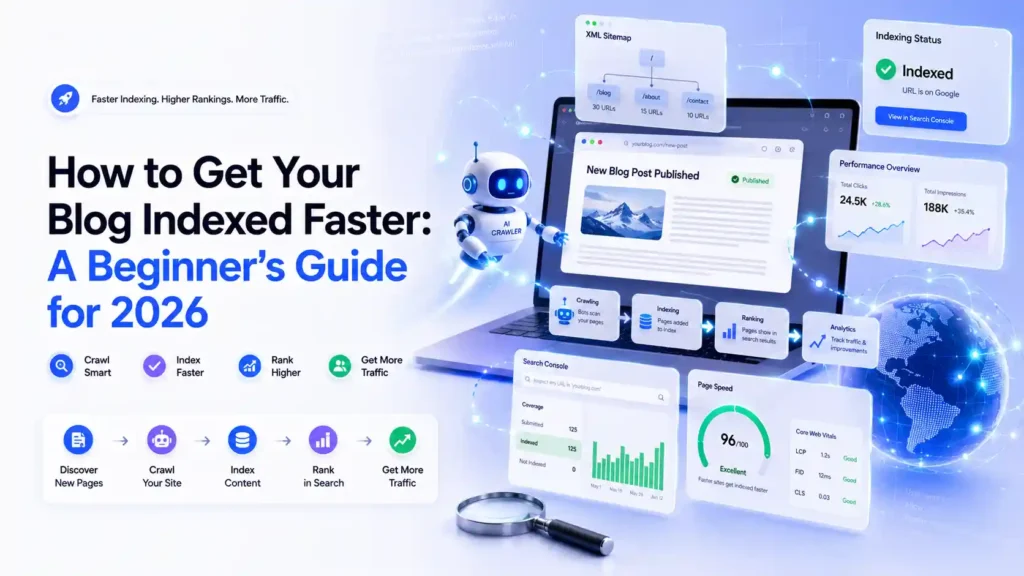
- Crawling: Googlebot visits your page and reads the content.
- Indexing: Google files that page away so it can appear in search.
- Ranking: Google decides where your page sits for a given search.
Faster indexing only touches the first two steps. It gets you into the race. Ranking well is a separate job that depends on content quality and links.
Why Faster Indexing Matters for Your Blog
A post that is not indexed is invisible. It does not matter how good your writing is if Google cannot find it and store it away.
Speed counts even more for time-sensitive topics.
Say you publish a post about a product launch or a trending angle. If your page takes two weeks to index, the moment has passed and someone quicker grabbed the traffic.
Faster indexing also gives you quicker feedback. Once a page is indexed, you can watch how it performs, spot what needs fixing, and update it.
Waiting weeks just to start that loop slows down your whole blog.
There is a money side too. Freelancers and agencies often charge $450 to $500 a month for technical SEO help that includes indexing support.
Learning this yourself keeps that cash in your pocket.
How to Get Your Blog Indexed Faster: 7 Simple Steps
Follow these steps in order. Each one helps Google discover, crawl, and store your content sooner.
1. Set Up Google Search Console for Beginners
Google Search Console is a free tool that shows how Google sees your site. It is the first thing to set up before anything else.
Create an account, add your site as a property, and verify ownership through your domain provider or a simple HTML tag. Once verified, you unlock the tools that let you request indexing and submit sitemaps. Bing Webmaster Tools works the same way and is worth adding for extra reach.
2. Create and Submit a Sitemap
A sitemap is a file that lists every page you want search engines to find. Most blog platforms like WordPress build one for you, often at yoursite.com/sitemap.xml.
For sitemap submission, open Search Console, click the Sitemaps report, paste your sitemap URL, and hit submit. Do this once. Google will keep checking it for new pages after that.
One outdated tip you can skip: pinging Google with your sitemap URL. Google shut down that ping endpoint at the end of 2023, and the old address now returns an error, according to Google Search Central. Submitting inside Search Console is the method that works today.
3. Use the URL Inspection Tool to Request Indexing
This is the fastest way to index blog posts fast. Right after you publish, copy your new post URL and paste it into the search bar at the top of Search Console.
Click Test Live URL to confirm the page is reachable and free of any noindex tag. Once it comes back clean, click Request Indexing. That drops your page into Google’s crawl queue.
Keep your hopes realistic here. Google’s own documentation says requesting indexing is a request, not a command. It does not promise your page gets stored, and there is a daily limit of around ten URLs per property, so save it for your important pages.
4. Add Internal Links From Pages Already Indexed
Google finds new pages by following links. When you link to a fresh post from an older page that is already indexed, you hand Googlebot a clear path straight to the new content.
Drop two or three internal links from popular posts into each new article. This one habit speeds up discovery more than most beginners expect, and it got more important once sitemap pings went away.
5. Share the Post to Earn Quick Crawls
Public places that Google crawls often can lead bots to your page. Sharing your post on your own social profiles, a relevant community, or a newsletter creates extra trails back to your content.
These do not need to be paid or fancy. A single link from a page Google visits regularly can trigger a crawl.
6. Check for Blockers That Stop Indexing
Sometimes a page will not index because something is quietly blocking it. Run through this short checklist:
- Noindex tag: Make sure the post is not set to noindex in your SEO plugin.
- Robots.txt: Confirm the file is not disallowing the page or folder.
- Canonical tag: Check that the page points to itself, not a different URL.
- Thin content: Very short or copied pages often get skipped.
Fix any of these, then run Test Live URL again before you request indexing.
7. Use IndexNow for Bing and Other Engines
IndexNow is a free protocol that pushes your new URLs straight to Bing, Yandex, Naver, and Seznam the moment you publish.
Many WordPress SEO plugins support it with a single toggle.
Worth knowing: Google does not take part in IndexNow, so this covers other engines, not Google.
Faster indexing on Bing still means more eyes and more traffic from a source most bloggers ignore.
Uncover My Top Recommendation for Making $100-$300 Daily – Check Out This FREE Video to Begin >>>
Common Indexing Mistakes to Avoid
Beginners tend to trip over the same few things. Dodge these and you save yourself days of confusion.
- Requesting indexing over and over. Spamming the button does not help and burns your daily limit. One request per page is plenty.
- Ignoring content quality. Google skips pages it reads as thin or copied. A 300-word post stuffed with keywords often stays out of the index.
- Forgetting internal links. Orphan pages with nothing pointing to them are hard for Google to find.
- Trusting the old ping trick. Guides that tell you to ping Google with your sitemap are out of date and waste your time.
- Panicking too early. New sites sit in a kind of trial period while Google learns to trust them. Give it a little time before you assume something broke.
Pro Tips to Speed Up Google Indexing
Ready to move past the basics? These habits help you speed up Google indexing across your whole site over time.
- Post on a steady schedule. Sites that publish regularly get crawled more often, so Google shows up expecting fresh content.
- Update the lastmod date honestly. Your sitemap can flag when a page changed. Only update that date when you make real edits, since fake freshness can chip away at trust.
- Build a few quality backlinks. A link from a respected site tells Google your page deserves a visit. Backlinks now carry more weight for discovery than sitemap pings ever did.
- Watch the Page Indexing report. This report in Search Console tells you which pages are in, which are out, and why. Google had a reporting glitch in this report during late 2025, so cross-check with Test Live URL if the numbers look strange.
- Strengthen your internal link structure. Keep your newest posts within a click or two of your homepage. Shallow pages get crawled sooner than pages buried deep.
FAQs About Getting a Blog Indexed Faster
How long does it take to get a blog indexed?
A new blog post usually gets indexed within a few hours to two weeks. Trusted sites that post often see indexing in hours, while brand-new sites can wait longer.
How do I get my blog indexed faster on Google?
To get your blog indexed faster, submit your sitemap in Google Search Console, use the URL Inspection tool to request indexing, and add internal links from pages that are already indexed.
Is submitting a sitemap enough to index my blog?
No. A sitemap helps Google discover your pages, but it does not force indexing. Google still decides whether each page is worth storing based on quality and access.
Why is my blog post not getting indexed?
Common reasons include a noindex tag, a robots.txt block, a wrong canonical tag, thin content, or a brand-new site that Google has not learned to trust yet.
Can I get indexed faster without Google Search Console?
It is much harder. Google Search Console for beginners is the most direct free path to request indexing and check what is blocking your pages. Skipping it means giving up your best tools.
Does sharing my post on social media help indexing?
Yes, indirectly. Sharing creates links on pages Google crawls often, which gives bots more routes to discover your new post sooner.
Uncover My Top Recommendation for Making $100-$300 Daily – Check Out This FREE Video to Begin >>>
Final Thoughts: Start Indexing Faster Today
Getting a blog indexed faster comes down to a simple routine. Set up Google Search Console, submit your sitemap once, request indexing for each new post, and link it from pages Google already trusts.
Do that every time you publish and your content stops vanishing into the void.
You do not need a $500 agency to make this happen. You need twenty minutes and this checklist.
Ready to see results? Open Google Search Console right now, submit your sitemap, and request indexing on your latest post. Then bookmark this guide so your next post lands in Google even faster.